Quickbooks Addon

Quickbooks FBR Digital Invoicing Integration

Automate FBR Compliance for Quickbooks Desktop - Quickbooks FBR Connector

Overview

The FBR-DI Quickbook Connector is a Windows desktop application designed to automate Pakistan FBR digital invoicing for businesses using QuickBooks Desktop. From invoice creation to FBR submission and QR-stamped PDF generation, the process runs automatically without disrupting your accounting workflow.

FBR Digital Invoicing Connector is a complete Quickbooks integrated app using QBXML it enables your Quickbooks Enterprise or desktop to natively integrate with the Federal Board of Revenue (FBR) in Pakistan for digital invoicing compliance. You can report your invoices to FBR Api and update FBR issued Txn numbers in your Quickbooks App. It supports QR stamping on invoice print (as required for compliance) and batch invoice printing.

Why Choose FBR-DI Connector
  • No manual data entry
  • No CSV exports or reformatting
  • Real-time QuickBooks integration
  • Built-in Validation
  • Built-in compliance logs
  • Background automation

Seamless QuickBooks FBR Integration

๐Ÿ”—Official QBXML Interface

Supports QuickBooks Pro, Premier, and Enterprise with direct read/write operations for invoice, tax, and customer data.

๐ŸงพPermanent Compliance Sync

Reports Invoice data and Writes FBR transaction numbers back into QuickBooks fields so every reported invoice remains traceable and audit-ready.
Your accounting workflow stays the same, only smarter and fully FBR compliant.
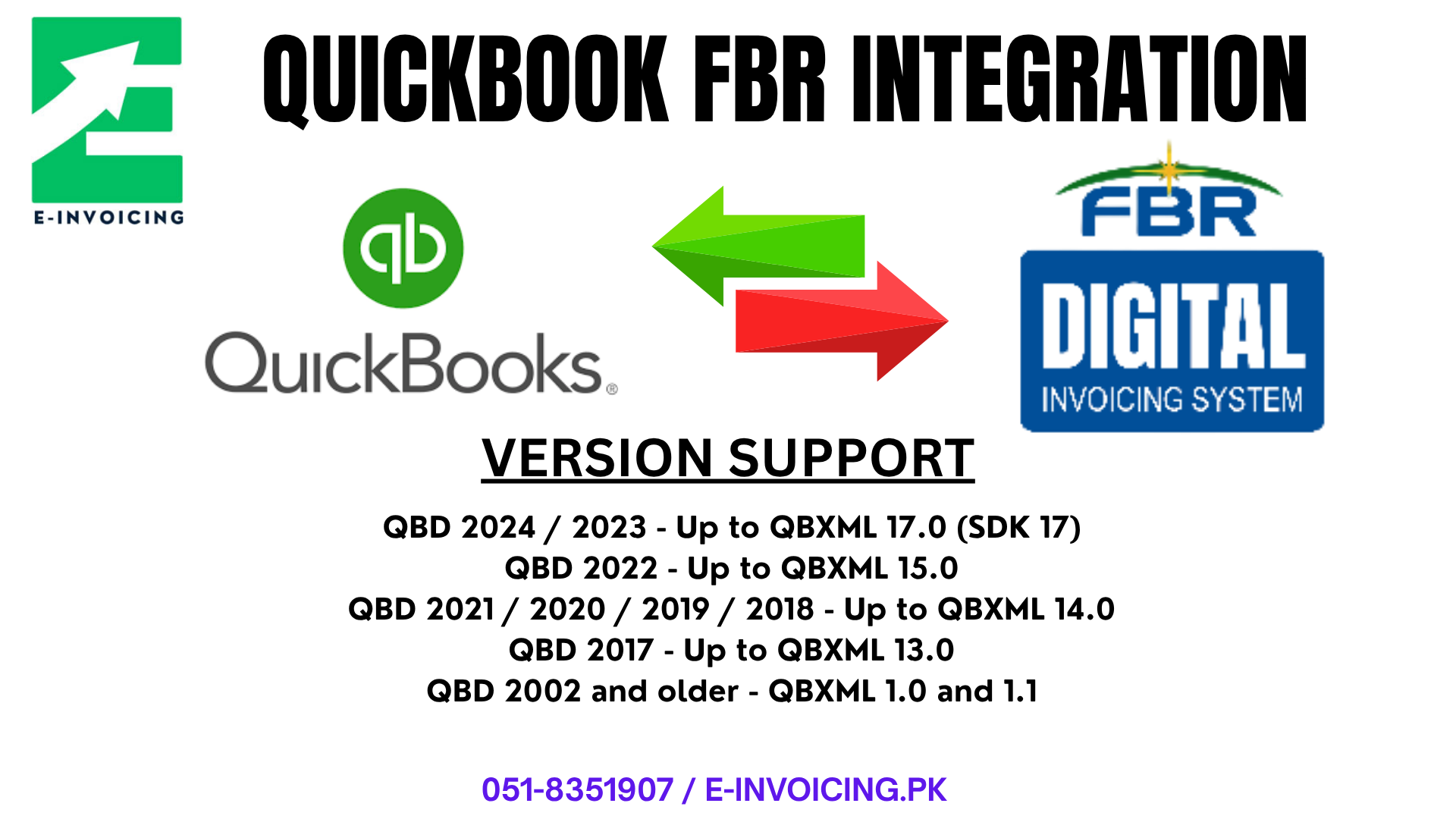
Version Support and QBXML Compatibility

๐ŸงฉVersion Support
  • QuickBooks Enterprise
  • QuickBooks Desktop Enterprise 20.0
  • QuickBooks Desktop Pro
  • QuickBooks Desktop Premier
  • QuickBooks Enterprise 2021 - Non Subscription Version
โš™๏ธImportant Notes for Users
  • Enterprise vs Pro/Premier: QBXML behaves the same across Pro, Premier, and Enterprise; Enterprise mainly supports larger datasets.
  • 64-bit vs 32-bit: Our App works and supports with both QBFC13 and QBXML integrations, hence it operates seamlessly on both Variants of 64-bit and 32-bit . * QBFC13 users can only choose auto poll as "Even-Subscriptions" is not available in older sdks.
QuickBooks Desktop Versions (Supported) QBXML Supported (Supported)
QBD 2024 / 2023Up to QBXML 17.0 (SDK 17)
QBD 2022Up to QBXML 15.0
QBD 2021 / 2020 / 2019 / 2018Up to QBXML 14.0
QBD 2017Up to QBXML 13.0
QBD 2002 and olderQBXML 1.0 and 1.1
QuickBooks to FBR integration workflow preview

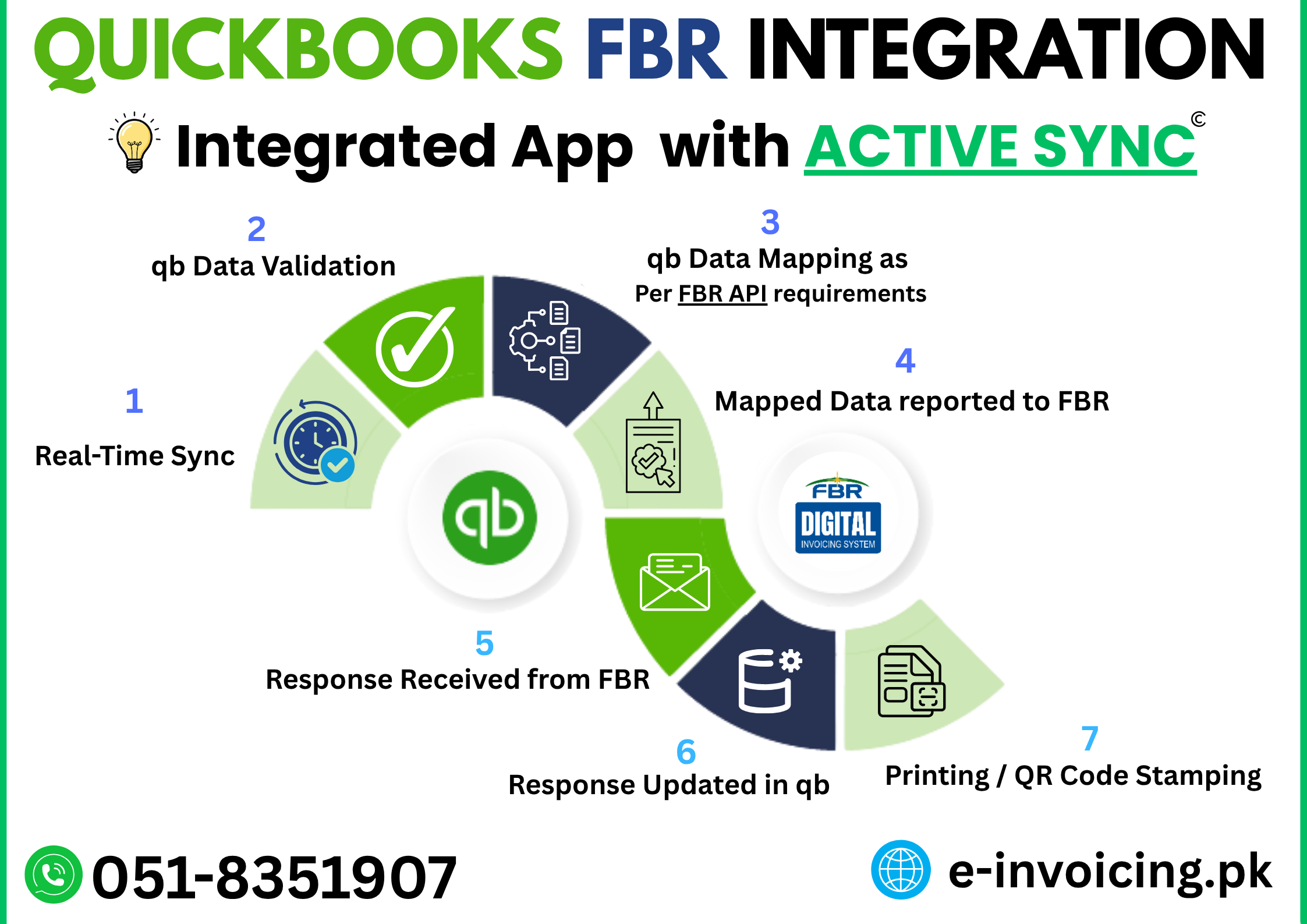
Fully Automated Workflow

1Detects newly created or updated invoices in QB
2Validates FBR-required fields
3Submits invoice data from QB to FBR API
4Receives FBR transaction number
5Updates QuickBooks automatically with FBR Respnse
6Stamps invoice PDF with QR codes (Single or Batch)

Zero clicks. Zero manual effort.

Core Automation Modules

๐Ÿ“กSmart Invoice Polling Engine
  • Scans QuickBooks every few seconds
  • Detects new and edited invoices instantly
  • Prevents duplicates with tracking logic
  • Configurable scan window and frequency
๐ŸŒDirect FBR API Integration
  • Sandbox and production support
  • Pre-submission validation checks
  • Secure bearer token authentication
  • Full request and response logs for audits

Intelligent Retry and Error Handling

Error Type Connector Action
Temporary API issue Automatic retry
Token or configuration error Stop and alert
Missing API data mapping Skip invoice and continue processing

Smart retry logic maximizes success rates without breaking existing workflows.

QR PDF Stamping and Batch Processing

๐Ÿ“„Automatic QR Stamping
  • Detects invoice PDFs automatically
  • Generates FBR-compliant QR code
  • Applies stamp with FBR logo
  • Saves updated file instantly
  • Works with One Invoice or Batch Mode Priting of QB
๐Ÿ“ฆHigh-Volume Batch Support
  • Processes multiple invoices in one run
  • Applies QR code per page in batch PDFs
  • Skips invalid invoices without stopping batch
  • Built for high-volume operations

Product Mapping, Monitoring, and Audit Readiness

๐Ÿง Smart Product Mapping

Two-level mapping model:

  • QuickBooks Item to HS Code
  • HS Code to tax rules, UOM, SROs and sale type

Editable through GUI with no technical setup.

๐Ÿ“ŠLive Dashboard
Invoices received Submitted to FBR PDFs processed and Printed Errors detected Pending Validated Reported Stamped Error
๐ŸงพComplete Audit Logging
  • QuickBooks requests
  • FBR API payloads
  • PDF stamping events

Full traceability for compliance audits.

Lightweight and Self-Contained

Runs locally on Windows (32X OR 64X)
No cloud dependency or server setup
Single-file database for easy backup

Full FBR Compliance Coverage

Requirement Covered
FBR Digital API submissionYes
HS code mappingYes
Sale Type, SRO Schd #, SRO Item # MappingYes
ALL 28 Scenarios Tested and MappedYes
QR code on invoiceYes
Batch Job / Printing SupportYes

Final Word

The Quickbooks FBR-DI Connector converts a multi-step compliance process into a fully automated pipeline for QuickBooks Desktop users.

No manual work. No workflow disruption. Just install and stay compliant.

Get Demo and Deployment - Contact Us